Scan to PDF Converter2.0.1
Publisher Description
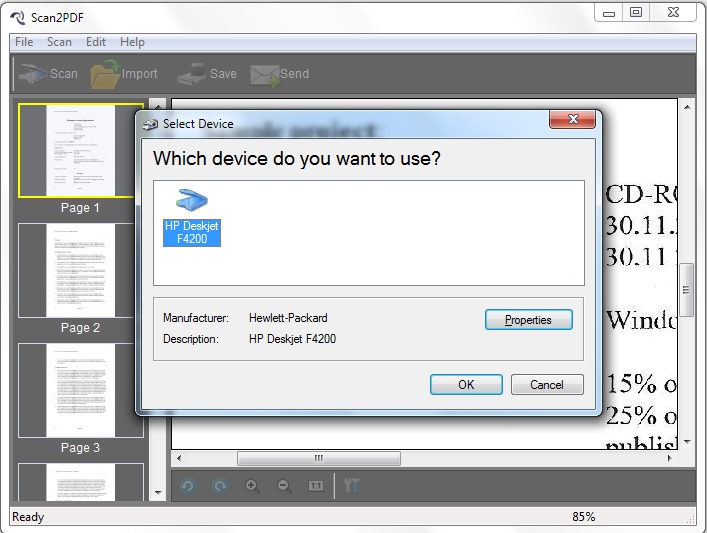
Scan your paper documents into PDF format quickly, accurately and directly. In addition, you can import existing images and combine all the image files into a single PDF. Create PDF from scanned files and images is as easily as clicking buttons. Version 2.0.1 improve the page settings for output PDF.
--------------------------------------------------------------------
Key Features:
1,Support mutiple Scanner:
Scan to PDF works with most Twain and WIA Scanners. Please connect the scanner to your computer firstly, and it will be detected automatically from our program.
2,Send PDF as attachment :
Scan your documnets to PDF, and send it to your client as PDF attachment in Email.
3,Basic Image Editing
Edit the scanned images by adjusting size, brightness, contrast, etc.
4,Convert image to PDF :
Besides scanning files to PDF, you can import local images and convert them into single PDF file.
5,Define output settings:
You can cutomize the page size, orientation and margin for your PDF files.
--------------------------------------------------------------------
For information of the pro version and other purchasing questions, please contact info@axpdf.com
About Scan to PDF Converter
This Converters & Optimizers program is available in English. It was last updated on 29 September, 2026. Scan to PDF Converter is compatible with the following operating systems: Other, Windows.
The company that develops Scan to PDF Converter is AXPDF. The latest version released by its developer is 2.0.1. This version was rated by 10 users of our site and has an average rating of 2.2.
The download we have available for Scan to PDF Converter has a file size of 6.3 MB. Just click the green Download button above to start the downloading process. The program is listed on our website since 2011-11-03 and was downloaded 548 times. We have already checked if the download link is safe, however for your own protection we recommend that you scan the downloaded software with your antivirus. Your antivirus may detect the Scan to PDF Converter as malware if the download link is broken.
How to install Scan to PDF Converter on your Windows device:
- Click on the Download button on our website. This will start the download from the website of the developer.
- Once the Scan to PDF Converter is downloaded click on it to start the setup process (assuming you are on a desktop computer).
- When the installation is finished you should be able to see and run the program.
